For creators
Publish content, organise resources and update their organisation’s profile.
Headspace Business
Concept project
A B2B concept for creating, organising and sharing wellbeing resources.
My contribution
I mapped the creator and discovery flows, designed and tested the Figma prototype, and assembled a UI kit using Headspace’s existing visual language.
This concept explores how Headspace could support organisations that create wellbeing content, such as yoga studios, Pilates centres, schools and universities. I designed a creator dashboard for publishing resources and a marketplace where people could discover them.
Creators need to manage a growing library of resources, while people using Headspace need a clear way to find them. The challenge was to connect these two experiences without losing the visual identity of the original app.
Publish content, organise resources and update their organisation’s profile.
Find wellbeing resources from different creators and understand who made them.
Task flows and prototype testing
I mapped the key actions before developing the visual design. Low fidelity wireframes helped me work through the navigation and the steps needed for each task.


I tested the high fidelity prototype with users, focusing on content organisation. Moving an existing resource and identifying folders caused confusion. These observations informed the changes below.
People were unsure how to move a resource into a folder.
When several folders were created, they looked too similar to identify quickly.
People were unsure how to move a resource and distinguish similar folders. I added move actions and colour options to make content organisation easier to follow.
Resources can be saved before they are published. Separate states make it clear which content is still being prepared and which is available.
The concept extends Headspace rather than replacing its identity. Shared typography, colours and components keep account creation, the library and publishing consistent.
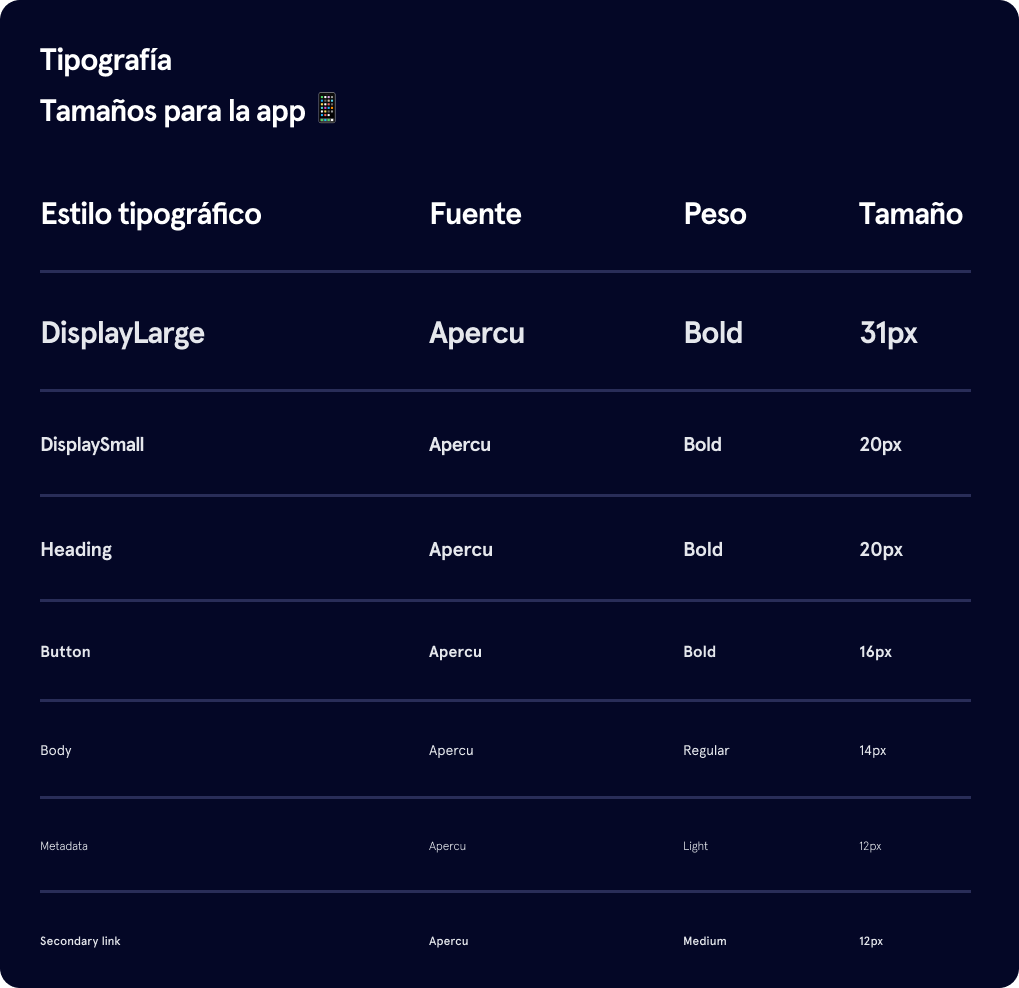
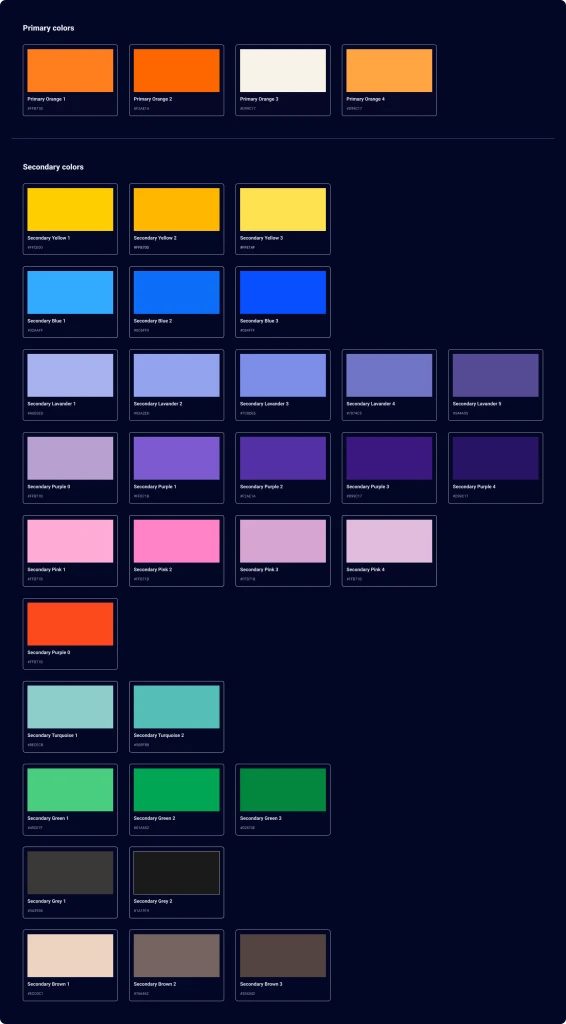
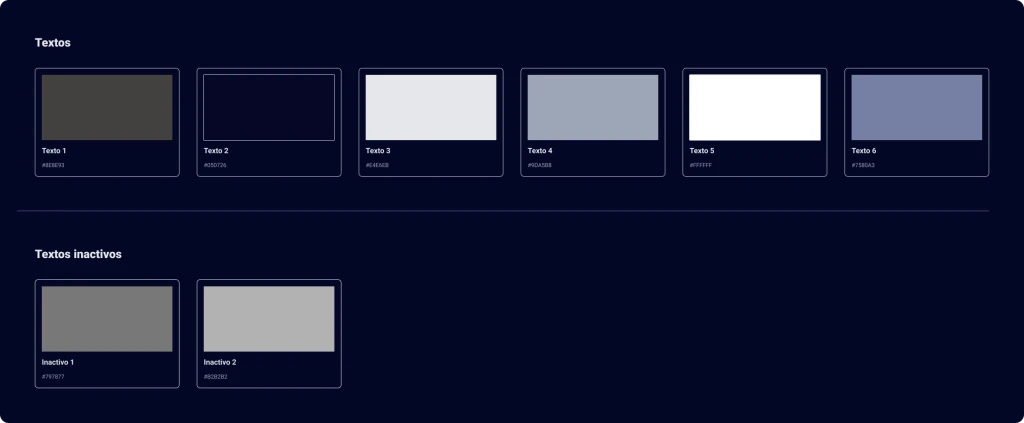
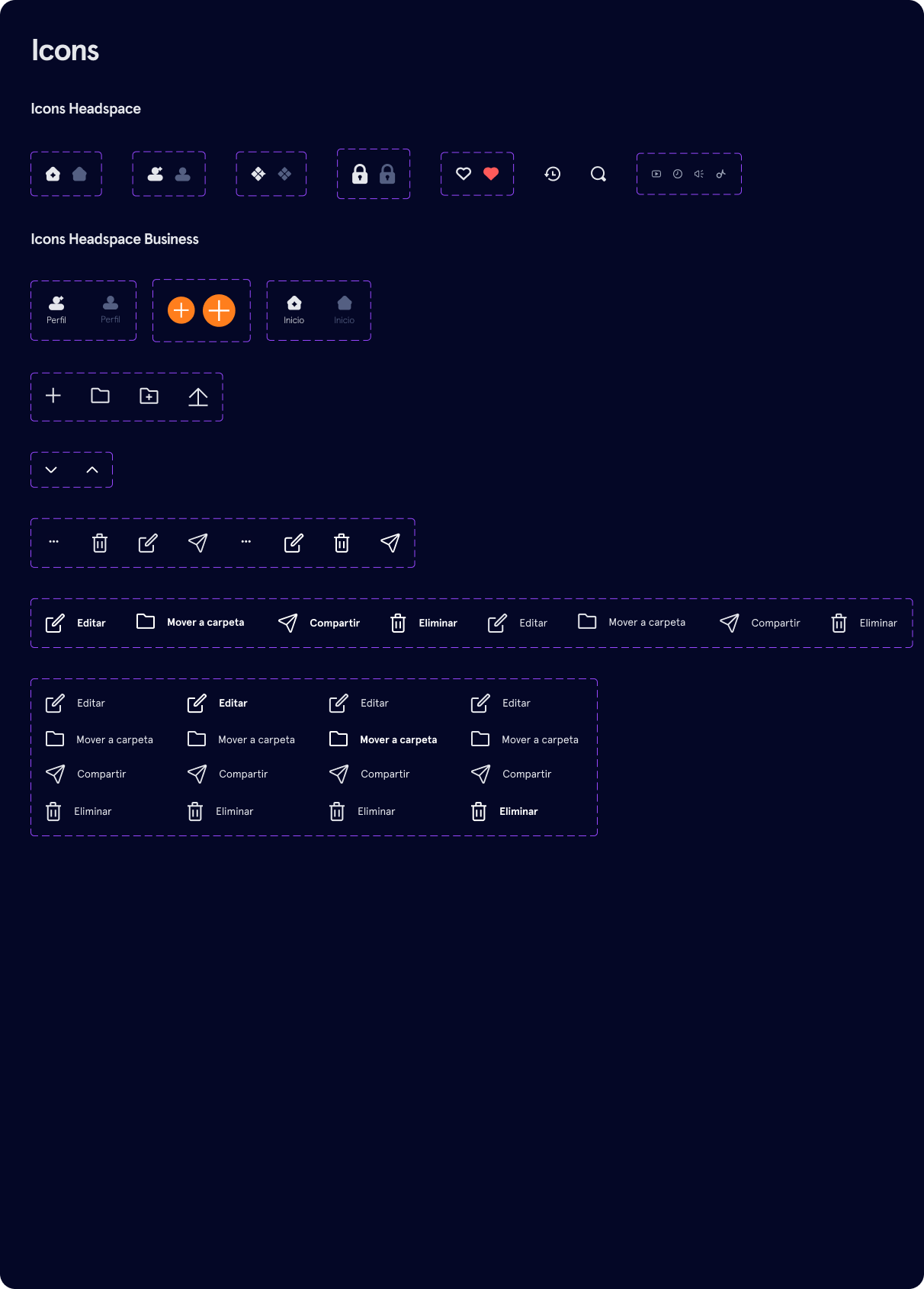
For this concept, I assembled a Figma UI kit using Headspace’s existing visual language. It brings together Apercu typography, brand and interface colours, icons and reusable components, with variants for their different states.
For example, resource publishing uses the same buttons and input fields as account creation, while selection controls support tags and folders. The component sheet shows their variants; the final screens below show how they are used. Open any sheet to inspect it at full size.



Creators can register, add their organisation’s details and enter the dashboard.

The dashboard brings together resource creation, categories, tags, folders and search. Creators can save drafts, publish content, edit their profile and view content statistics.

The proposed marketplace sits within the Headspace app. People can search for resources, see the creator and open the content they want to use.
