What we observed
First-time users struggled to find key actions and understand some of the steps.
Synergym
Independent redesign
Usability testing and redesign of gym access, class bookings and workout routines.
My contribution
I ran usability sessions with six first-time users, grouped observations in an affinity map, and redesigned gym access, class bookings and workout routines.
Project scope
The Synergym app lets members enter the gym, book classes and follow workout routines. For this personal project, I tested these everyday tasks with people who had never used the app, then redesigned the parts that caused confusion.
Finding everyday gym tasks
First-time users struggled to find key actions and understand some of the steps.
These tasks are part of a regular gym visit. Members need to enter, manage bookings and check exercises without searching through the app.
Make the four tasks easier to find and follow, using the difficulties observed in the tests to guide the redesign.
Usability tests with first-time users

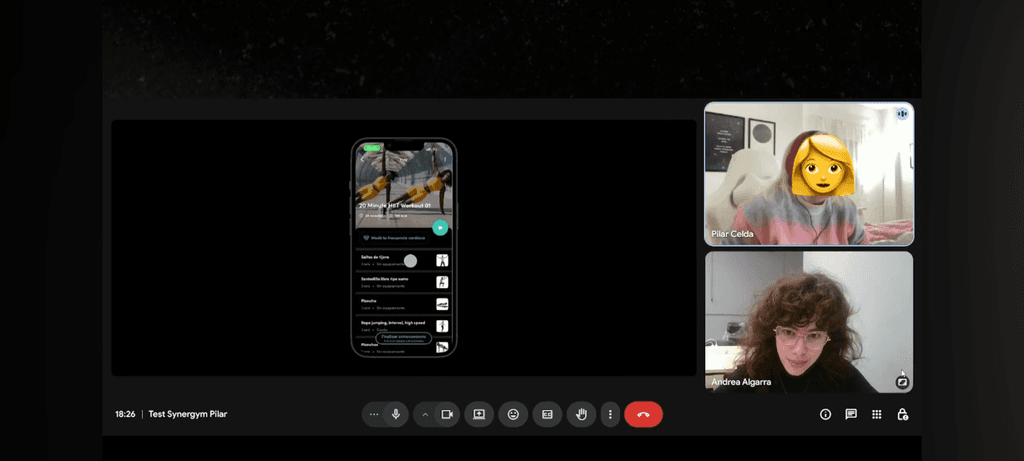


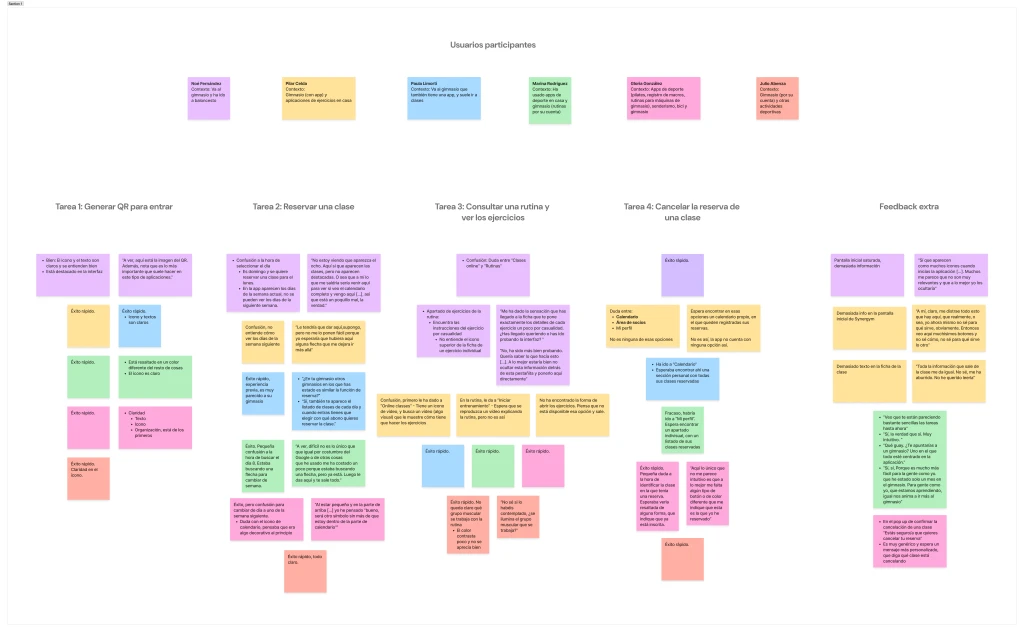
I grouped observations in an affinity map to find recurring difficulties across the sessions. A usability questionnaire captured participants’ feedback.
Responses to six questionnaire statements, rated from 1 to 5, captured how participants perceived the app alongside the difficulties observed during the tasks.
6 participants · Mean response, from 1 (strongly disagree) to 5 (strongly agree).
Higher agreement is positive for ease of use, frequent use and integration. For complexity, support and inconsistency, lower agreement is positive.
These are six recorded SUS statements. The other four are not included in the source, so no overall SUS score is reported.

Priorities for the redesign
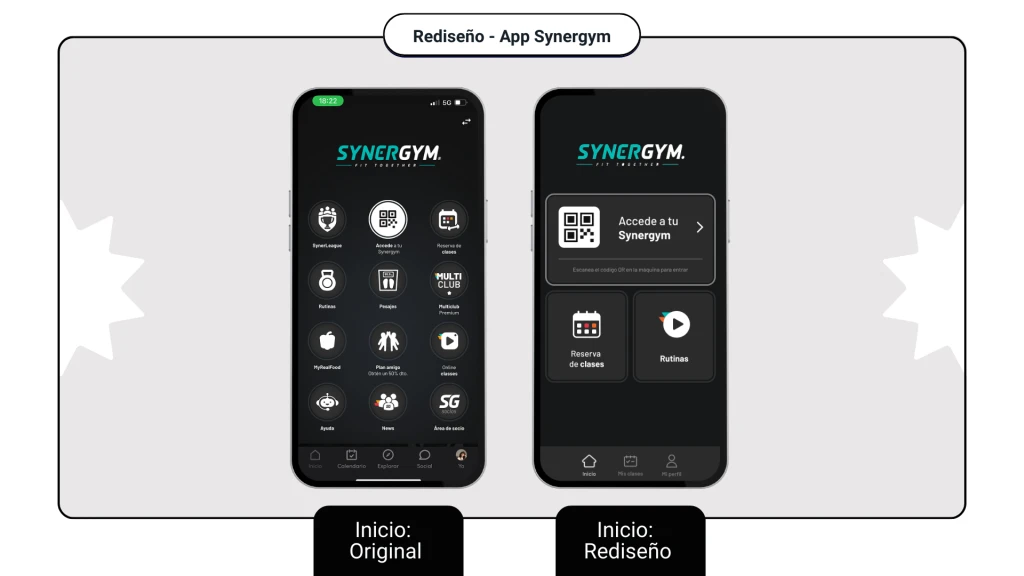
Give the entry QR code more prominence and reduce visual clutter on the home screen.
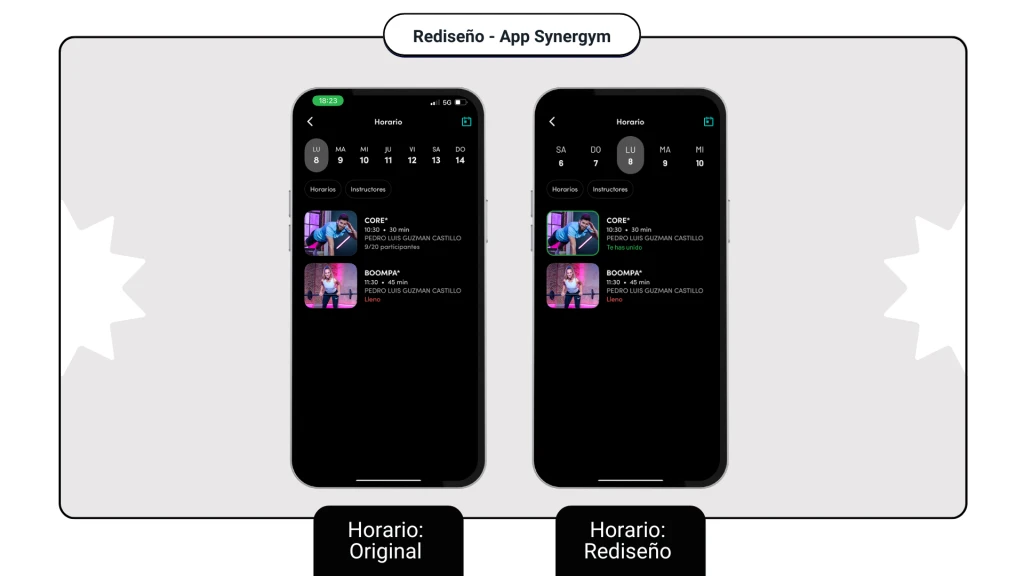
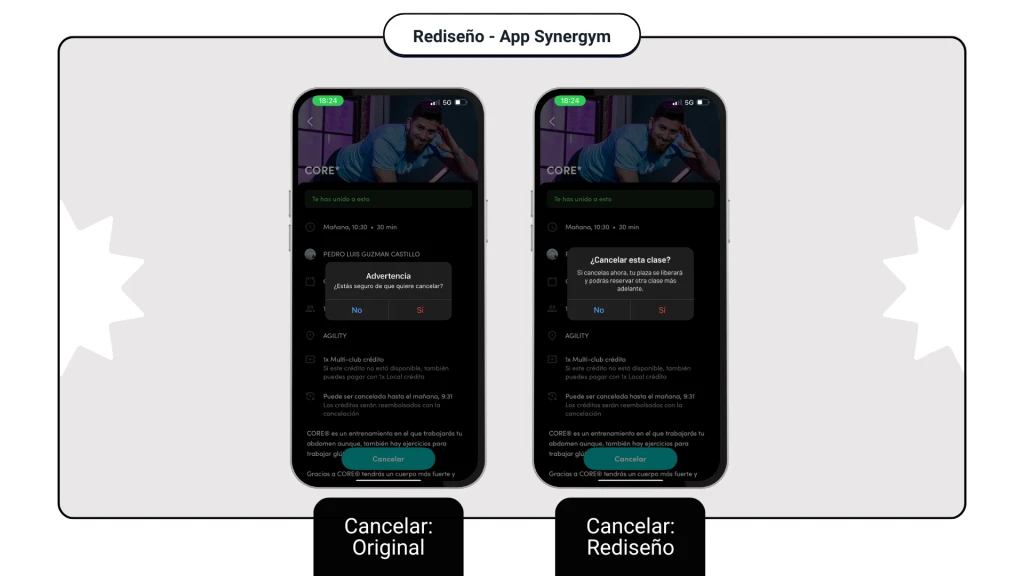
Add My classes and distinguish active bookings so they can be found and cancelled.
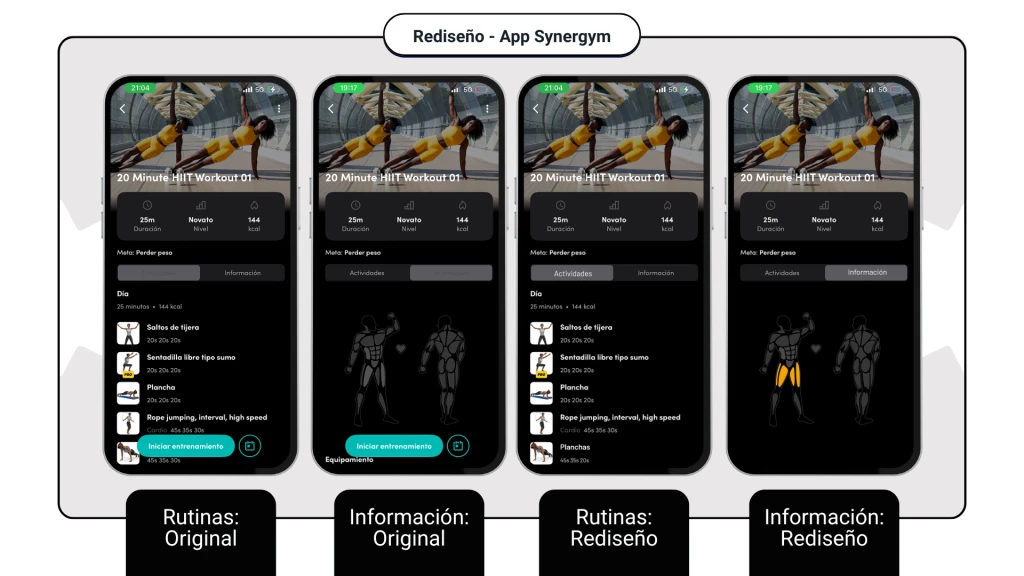
Distinguish routines from online classes and make exercise instructions and target muscles clearer.
Gym access, bookings and routines
The entry QR code becomes the main action on the home screen. Classes and routines have clearer labels and separate entry points.

A new My classes section brings bookings together. The schedule distinguishes booked classes, and cancellation is available from the booking.
Routines are distinguished from online classes. Exercise instructions and the muscles involved are easier to identify.